SpeakUp4Safety – Logistic Regression Injury Risk Prediction
This article explains logistic regression injury risk prediction and compares
Minitab-first and SpeakUp4Safety + AI workflows. Download the CSV template and the sample dataset to get started.
Why logistic regression for injury risk prediction
Logistic regression estimates the probability that at least one injury will occur within a defined horizon (e.g., 12 months).
Compared to isolated indices, it combines key drivers into a single, operational metric for logistic regression injury risk prediction.
Logistic Regression Injury Risk Prediction: Required data
- Unsafe acts (count per operator)
- Training rating (1–5, higher = better)
- Near misses (count per operator)
- Workstation risk index (1–5)
Optional: Department, Shift, Period (YYYY-MM), historical outcome Injury_12m (0/1) for training and model validation.
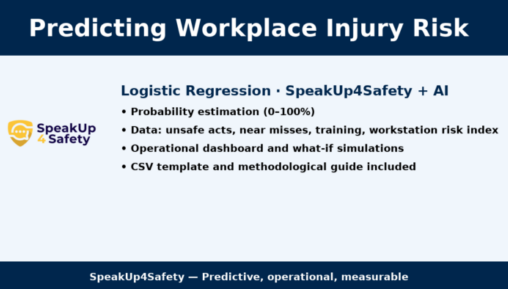
Two implementation workflows
1) Minitab-first
- Collect data using the CSV template (one row per operator/period).
- Clean & encode (handle missing values, keep scales consistent, code job roles).
- Run Binary Logistic Regression in Minitab (event = Injury=1).
- Assess AUC/ROC, calibration, significance and odds ratios.
- Set operational thresholds (e.g., ≥30% = priority) and action plans.
2) SpeakUp4Safety + AI
- Capture data directly in SpeakUp4Safety (standardized forms, field-ready).
- Automated data quality (required fields, consistency checks, timestamps, role).
- Activate predictive analytics: probability by operator, heatmaps and proactive alerts.
- Run what-if scenarios (↑training, ↓unsafe acts, workstation improvements).
- Track risk deltas after each intervention and consolidate best practices.
Downloads
Technical Note — Logistic Regression Injury Risk Prediction
This technical note describes how to estimate the probability of at least one workplace injury within 12 months
using a logistic regression model. The approach combines multiple operational drivers into a single probability score to
prioritize preventive actions with SpeakUp4Safety.
1) Objective
Predict the probability p that an operator will experience at least one injury in the next 12 months based on routinely available predictors.
2) Predictors and Coding
- Unsafe_Acts: non-negative integer (count per operator/period).
- Training_Rating_1_5: 1–5 (5 = better training).
- Near_Misses: non-negative integer (count).
- Workstation_Risk_Index_1_5: 1–5 (5 = riskier workstation).
- Optional: Department, Shift, Period (YYYY-MM), historical target
Injury_12m(0/1) for model training.
3) Data Preparation
- One row per Operator × Period.
- Handle missing values (simple imputation or case exclusion for training).
- Keep scales consistent (1–5). Encode categorical job roles as factors/dummies if required.
- Check for outliers in counts (near misses, unsafe acts).
4) Model
The logistic regression uses the logit link:
logit(p) = β₀ + β₁·Unsafe_Acts + β₂·Training_Rating_1_5 + β₃·Near_Misses + β₄·Workstation_Risk_Index_1_5 + …
p = 1 / (1 + exp(−logit(p)))
Expected signs: βUnsafe_Acts, βNear_Misses, βWorkstation_Risk > 0; βTraining_Rating < 0.
Interpretation: odds ratio = eβᵢ indicates how the odds change with a one-unit increase of predictor i, holding others constant.
5) Training and Validation
- Train/test split (e.g., 70/30) or k-fold cross-validation.
- Quality metrics: AUC/ROC, precision–recall, calibration (reliability curve, Brier score).
- Recalibrate/retrain when processes, exposures or workforce composition change.
6) Scoring Example (Excel)
Given estimated coefficients BETA0, BETA1, BETA2, BETA3, BETA4, the probability p for one row is:
=1/(1+EXP(-(BETA0
+ BETA1*Unsafe_Acts
+ BETA2*Training_Rating_1_5
+ BETA3*Near_Misses
+ BETA4*Workstation_Risk_Index_1_5)))
Format the cell as percentage. In SpeakUp4Safety, store coefficients in a “Models” table for versioning and automated scoring.
7) Decision Rules and What-If Analysis
- Prioritization: sort operators by predicted p (descending) and assign actions to the highest risk first.
- What-if: simulate the impact of +1 training point, −30% unsafe acts, or −1 workstation risk index.
- Control: track monthly deltas of p after each intervention to quantify effectiveness.
8) Ethics, Privacy, Compliance
- Avoid sensitive attributes and proxy variables.
- Apply data minimization, pseudonymization (e.g., OP01), role-based access, and audit trail.
- Communicate clearly that the model supports professional judgement; it does not replace it.
9) Recommended Operating Plan
- Populate the CSV template (or capture data directly in SpeakUp4Safety).
- Train the first logistic model (Minitab or SpeakUp4Safety+AI).
- Set action thresholds (e.g., ≥20–30% = high priority) aligned with resources and risk appetite.
- Run the PDCA cycle with monthly review and model versioning every 3–6 months.
Request a free demo
FAQs
How should I set the action threshold?
Balance false positives and false negatives. Start with 20–30% and tune based on resources and severity.
What about ethics and privacy?
Exclude sensitive variables, apply minimization and pseudonymization, restrict access and keep an audit trail. Be transparent about model use and limits.
Questions and answers on this topic
Do you have practical questions or want to go deeper into the topic? In this section we collect the most relevant questions asked by EHS professionals together with the official answers from the SpeakUp4Safety Team, to help you turn concepts into concrete actions.
Do you have a question about this topic?
Submit your question by email. It will be reviewed by our specialists and, if relevant for the community, published with an official response.
Privacy note: the information you provide will be used exclusively to respond to your request.


Your Safety Is Our Priority
Find the Perfect Plan for Your Needs. Got questions or want a custom plan? Contact us anytime!