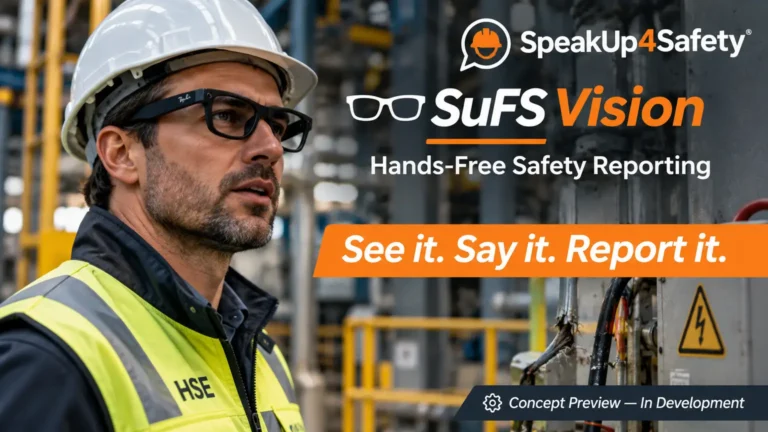
In today’s workplace, safety means more than just reacting to accidents. Health and Safety Dashboards help organizations prevent incidents before they occur by enabling a proactive and data-driven safety approach.
That’s why health and safety dashboards are important—they make audits and risk management easier by showing real-time data and clear visuals.
These dashboards give companies real-time insights to monitor safety performance, track incidents, and make informed decisions.
Dashboards can greatly improve safety outcomes. Use them daily—whether you’re addressing a near miss or getting ready for an environmental compliance audit.
Health and Safety Dashboards: What Are Safety Dashboards?
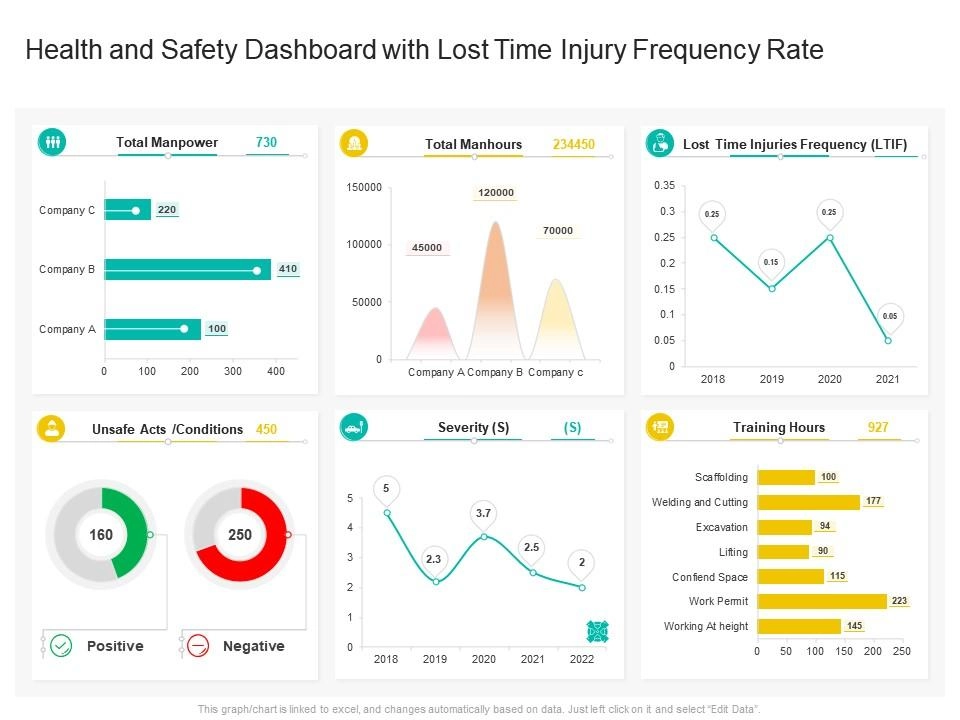
This visual shows how health and safety dashboards bring together important safety data to help make better decisions.
A safety dashboard is a visual tool that shows important safety and security information in one place. It helps organizations track and understand key safety points, like health and workplace safety.
These dashboards give real-time or frequent updates. They help managers and staff quickly see how safe things are and spot areas that need work. They also collect key safety data in one place, helping teams easily track and manage safety performance.
Imagine a warehouse where workers use heavy machinery. A safety dashboard in this setting might show missed forklift inspections, flagged hazards, or overdue training—prompting immediate attention.
Many modern online safety management systems offer fully adjustable health and safety dashboards. Let’s explore how you can customize the settings.
Customizing Health and Safety Dashboards to Fit Organizational Needs
Every company has different safety goals. That’s why a dashboard should be flexible enough to show the right data for each role—from frontline workers to HSE managers.
On a construction site, teams focus on lost time injury and carefully following lockout/tagout procedures. In a manufacturing facility, the focus might be on tracking internal audit progress on incident action plans.
To support such unique functional goals, effective dashboards should offer:
- Custom sections tailored for each team or department.
- Clear visuals—like graphs, charts, and color-coded alerts, help you quickly see what’s going on and what needs action.
- Live updates mean your team can respond fast when something needs fixing.
- Important safety metrics (KPIs) like number of incidents, near misses, completed safety training, and audit results.
Making dashboards specific for each role adds more value:
- Workers can see their daily safety tasks and quickly report any problems.
- Supervisors can check if their teams are following safety rules and spot any risks early.
- Safety managers can see overall trends and use the data to improve safety across the company.
The best workplace safety solution lets you customize dashboards to fit your team’s needs. Tailoring dashboards to each role is important, but using them daily helps teams stay safe and take the right actions.
Health and Safety Dashboards in Daily Use: The Value for Safety Operations
Daily safety dashboards keep everyone, from frontline workers to managers, focused on safety. By reviewing the dashboard each day, you can catch issues early, prevent surprises, and stay safety-focused.
- Spot hazards early: See trends, overdue tasks, and recurring issues, so you can fix them before they cause harm.
- Keep teams aligned: Keep your team informed about what matters, like inspections, action items, or training sessions.
- Keep safety front and center: Share the dashboard at every meeting and shift change.
- Stay audit-ready: Track inspections, near-misses, and fixes every day—so nothing slips through the cracks.
- Drive continuous improvement: Daily reviews create momentum toward your safety goals.
Checking the dashboard every day lets safety teams spot problems fast and helps everyone stay involved. It also supports quality system management by aligning safety metrics with overall organizational goals.
Now, let’s see how sharing easy-to-understand data with employees makes a real difference.
Empowering Employees With Transparent Data
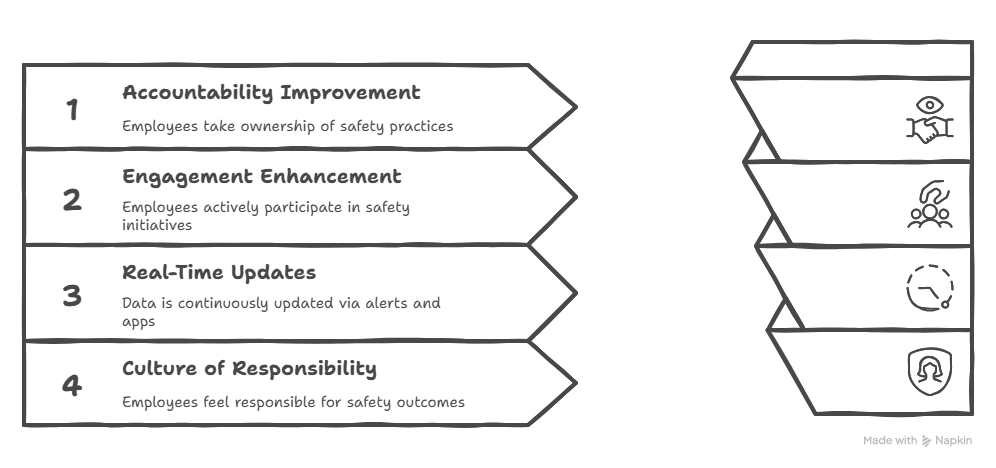
Health and Safety Dashboards: Routine Integration Tactics for Success
Here are some routine integration tactics for dashboard success:
- Assign dashboard review responsibilities during team meetings
- Set up daily or weekly email reports for key safety KPIs
- Integrate data from wearable technology and mobile apps
- Use alerts and notifications for overdue actions or abnormal conditions
- Train staff on reading and responding to dashboard data
Making dashboards a routine part of operations ensures ongoing engagement, not just from management, but from the entire workforce.
Challenges and Tips for Successful Dashboard Use
Adopting dashboards isn’t without hurdles. Common challenges include:
- Resistance from staff unfamiliar with digital tools
- Overload of data without clear prioritization
- Inadequate training and onboarding
- Lack of early communication and user involvement
- Perception that dashboards are “monitoring” rather than empowering tools
To overcome these challenges:
- Start with a pilot group and scale gradually
- Focus on the most critical safety metrics
- Use user-friendly tools that simplify data interaction
- Involve frontline staff early to build buy-in
- Review and update KPIs regularly to match current goals
These steps make your dashboard easier to adopt—and more effective in driving real safety improvements.
How SpeakUp4Safety Supports Health and Safety Dashboards Integration
To fully support your safety efforts, having the right tools makes all the difference. SpeakUp4Safety is a reliable platform built to improve your health and safety management system.
It simplifies dashboard setup and provides an intuitive interface to tailor dashboards by department and user role. SpeakUp4Safety makes it easy to manage incident reports, audits, and QMS compliance—all in one organized place.
As a powerful workplace safety app, it’s available on Google Play and the Apple App Store .
It integrates seamlessly with audit tools, incident reporting systems, and EHS Software —making safety coordination more efficient and proactive.
Conclusion
Integrating dashboards into daily safety operations brings visibility, control, and continuous improvement to your safety culture. Health and Safety Dashboards help organizations monitor risks, track incidents, and keep everyone informed in real time.
By using dashboards daily, workers, supervisors, and managers stay aligned and safety becomes a shared priority.
With tools like SpeakUp4Safety, companies can turn safety data into action and build safer workplaces for everyone.